
CargoWise NEO – Customisation of order list
CargoWise NEO allows you to customise the Order List so that the information most useful to you is displayed directly in the list view. This ensures you can access critical data quickly without needing to open every single order.
For example, you can add Order Number as a visible column and position it where it is easy to find.
Tip: Keep the most frequently used information near the beginning of the list. This reduces the amount of scrolling required when reviewing multiple orders. To help our customers use CargoWise NEO and get the most out of the system, Excel provides this helpful guide:
Add or remove columns
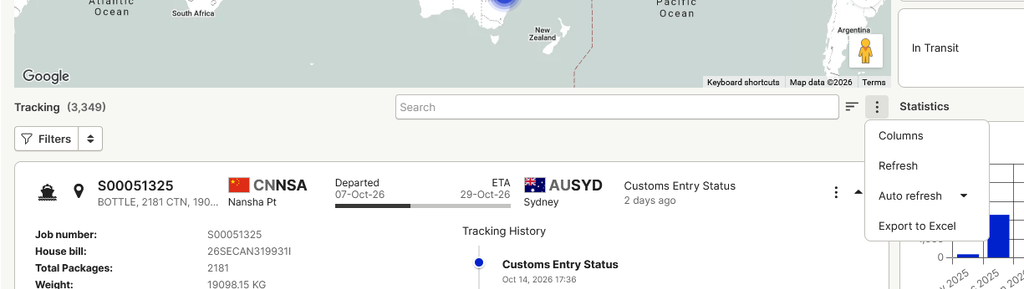
- Open the Order List in CargoWise NEO.
- Select the three dots (…) next to the search bar, then select Columns.
- The column settings will display:
- Available columns on the left
- Your currently selected columns on the right.
- Under Available columns, use the search field to search for Order Number. Alternatively, expand the Text category and locate Order Number from the available fields.
- Select Order Number, then use the right arrow to move it into your selected columns.
Change the order of columns
Once Order Number has been added, you can choose where it appears in the Order List.
- In the selected columns on the right-hand side, move Order Number to the top of the list. Depending on the controls displayed, you can:
- drag and drop the field into the required position; or
- use the up and down arrows to reposition it.
- Return to your Order List and check that the columns are displayed in the order you want.
Making CargoWise NEO familiar
If there is information you regularly used in Logixboard, the Order List can be customised so that the most important shipment and order information is easier to see.
If there is a particular field or layout you would like to reproduce from Logixboard, let us know what you would like to see and we can check whether CargoWise NEO can be configured to accommodate it.